
SeatGeek – Tickets to Events review
 Analysis by GetAllApps
Buying a ticket on a phone feels simple until the connection drops just as you are trying to choose a seat or finish checkout. That is where I judge an event app: not only by how many listings it offers, but by how clearly it helps me make a decision when I’m moving between home, transit, and a busy venue. SeatGeek is a free events app from SeatGeek for finding and buying tickets to sports, concerts, theater, festivals, and comedy. Its biggest strength is putting those different plans in one place; its main practical caveat is that searching and purchasing are much easier when your connection is steady.
Finding an event while the plan is still taking shape
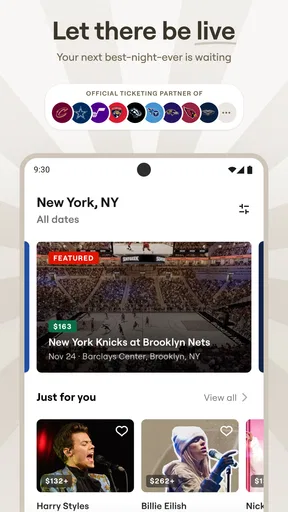
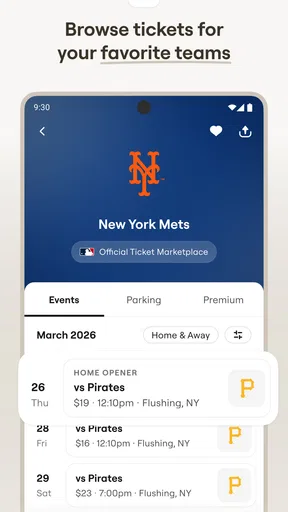
I find the app most useful before a night out is fully organized. If friends are deciding between a game and a concert, I can look across event types without switching between a team’s ticket page, a venue’s site, and a separate resale marketplace. That central view is convenient, though it does not remove the need to compare the details of a particular listing before paying.
Search is especially helpful when I know the kind of outing I want but have not settled on the exact event. I can browse sports, live music, theater, festivals, or comedy rather than beginning with a single venue. My practical tip is to narrow the plan first—event type, location, and acceptable date—then compare available listings. That keeps a broad catalogue from turning into an endless scroll.
SeatGeek has an average rating of 4.5 from around 46,000 ratings, and it has been installed over five million times. Those figures suggest that it is a familiar option for ticket buyers, but popularity does not tell me whether a particular seat or price is right. I still treat the app as a way to discover and compare options, not as a reason to rush through checkout.
Why a live connection matters
Event discovery is a network-shaped task. Listings, availability, and purchase steps are the parts I would want to check while connected, especially when an event is popular or a group is trying to agree on seats. I would avoid making a last-second decision based on a screen I opened much earlier: availability and the details shown during selection are worth checking again before committing.
This matters most when several people are coordinating. One person can browse likely options and share the event name or details through whatever channel the group already uses; everyone can then discuss the choice before one buyer moves to checkout. That simple split—research first, purchase only after agreement—helps prevent the familiar problem of buying one person’s preferred date while the rest of the group is still debating.
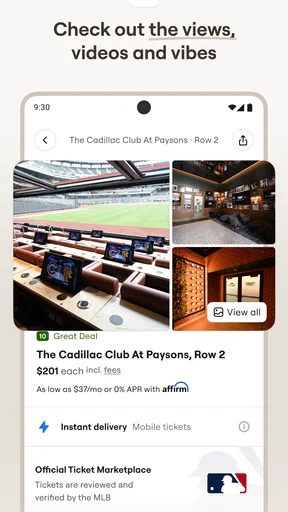
I would also compare the full listing rather than judging an option by its headline price alone. Seat location, event date, and the final amount presented during checkout are the decision points that matter to me. A ticket app can make browsing quick, but it cannot decide whether a seat is worth the cost for your view, schedule, or budget.
Useful on the move, with a little planning
SeatGeek makes sense for the moments when plans happen away from a desk: checking what is on after work, comparing a weekend game with a show, or looking up an event while meeting friends. The interface’s value in those situations is not that a phone is always the best place to buy. It is that I can make progress on the decision without waiting to get home and open a laptop.
For example, imagine I am on the train and a friend suggests a comedy show for that evening. I can use the ride to check whether the event fits our timing and compare the available choices. If the connection is patchy, I would save the purchase for a more reliable moment rather than repeatedly refreshing or assuming that an unfinished checkout has gone through. That is a small habit, but it reduces uncertainty when time is tight.
The same caution applies at the venue. A crowded concourse is a poor place to start a complex search: mobile data may be unreliable, people are moving, and there is little time to compare details calmly. I would decide on the event and ticket before arriving, then use the app for the task at hand rather than expecting a busy venue connection to make the whole process effortless.
SeatGeek is suitable for adults and families choosing events together: its content rating is Everyone. That rating describes the app’s audience classification, not whether every event is appropriate for every child, so I would still check the event itself before making family plans.
When checkout stalls, slow down before trying again
The most frustrating connectivity moment is a checkout that seems to pause after I have selected tickets. My first response would be to check the app’s current state and any purchase confirmation before starting over. Repeating the whole process immediately can create confusion about whether the first attempt completed. If the app has not clearly resolved what happened, I would use the available support or order information rather than guessing.
This is not a SeatGeek-specific rule so much as sensible ticket-buying hygiene, but it matters more when a listing may change while I am deciding. I try to keep the purchase flow focused: choose the event, review the important ticket details, confirm the total, and complete the transaction without jumping between unrelated apps. If the connection fails, I pause and verify instead of treating a frozen screen as proof of either success or failure.
Before heading out, I would check the order information while I have a dependable connection and make sure I know where to find it again. I do not assume that any ticket app will be equally convenient in a dead zone or a packed stadium. Planning ahead is more useful than discovering at the entrance that I have not checked how my event details are presented.
There is a trade-off here: putting discovery and ticket buying together reduces app switching, but it also concentrates the important steps in one mobile workflow. If you prefer to study seating options on a large screen, or you routinely make purchases where mobile reception is weak, a computer or the event venue’s own ticketing channel may be more comfortable. SeatGeek is strongest when the phone is a practical tool, not when connectivity is an afterthought.
Keeping browsing focused and data-conscious
I would not leave broad event browsing running in the background when I am trying to conserve mobile data. A more deliberate approach is to search for a specific city or event type, inspect a few relevant options, and stop once I have a shortlist. That is useful both for limiting unnecessary browsing and for making the decision less tiring.
On a limited data plan, I would do the exploratory part over a trusted Wi-Fi connection when convenient, then use mobile data for a targeted check or purchase. This is a practical routine, not a claim that the app has a special low-data mode. It also helps me compare listings with enough attention rather than flicking through a long feed while distracted.
Notifications and alerts are another area where I prefer a light touch. I would keep only the prompts that help with plans I genuinely care about, if those controls are available in my setup, and avoid treating every event reminder as urgent. The goal is to let the app support a decision rather than pull me into checking events whenever I unlock my phone.
SeatGeek’s current version is 2026.43.0, and it requires Android 10 or later. If I were troubleshooting an unexpected problem, I would first make sure the app and device are current, then retry on a steadier connection. That is a sensible first check, not a promise that every slowdown is caused by an outdated app or network.
Where it fits among ticket-buying alternatives
Compared with searching each venue or team separately, SeatGeek is convenient when I am flexible about what kind of event to attend. Its range across sports, concerts, theater, festivals, and comedy makes it useful for browsing broadly. A venue’s own ticket channel can be the better choice when I already know exactly where I want to go and want to focus on that organizer’s options.
Compared with a browser-based search, a dedicated app is easier to return to when I am planning on my phone. But a browser or desktop can still be preferable for a careful side-by-side review, particularly if I want more screen space or have a weak mobile connection. I would choose based on the task: SeatGeek for discovering and comparing possibilities on the go; a direct venue channel or larger screen when I want a narrower, more deliberate purchase route.
As an events app, it is not a reason to buy a ticket simply because something is available. I would skip it if I only attend one local venue and already prefer that venue’s own system, if I do not want to make ticket decisions on a phone, or if I cannot get a reliable connection when I need to finish a transaction. Those are not flaws that a broad event catalogue can solve.
My verdict on staying connected
SeatGeek is a useful companion for turning a vague idea into a real event plan, especially when I want to browse more than one kind of outing without juggling separate services. Its free entry point and broad event focus make it easy to try, and the app has a substantial audience: it has 12,000 reviews and an average rating of 4.5. SeatGeek was released on November 13, 2013, and its current version is 2026.43.0.
I would recommend it to people who compare events on the move, coordinate plans with friends, or want a single starting point for live entertainment. I would not rely on it as a substitute for checking ticket details carefully or planning around poor reception. My best advice is to browse early, compare the complete options, and finish checkout when the connection is dependable. Used that way, SeatGeek is a practical ticket-buying app rather than a promise that every event decision will be effortless.
Pros and cons
Pros
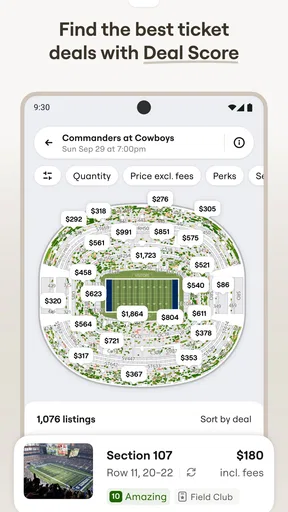
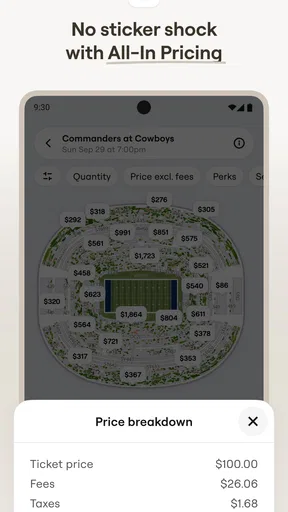
- Interactive seat maps make it easier to compare views before buying.
- Deal Score helps identify seats priced well for their location.
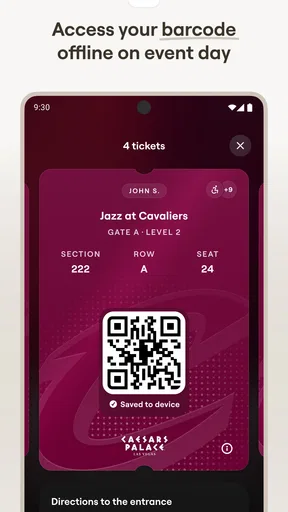
- The app keeps tickets organized for convenient event entry.
- Users can track events and get alerts when tickets become available.
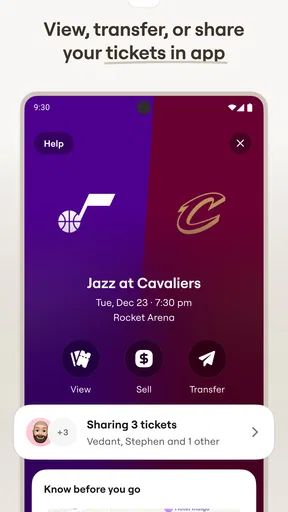
- Mobile ticket transfer makes sharing tickets with friends straightforward.
Cons
- Ticket availability and prices can change quickly.
- Some events may charge service fees at checkout.
- Not every venue supports mobile ticket entry.
- Refunds and exchanges depend on the event's terms.
- Popular events can have limited seating options.


